Overview
- Role: UX Researcher and UX Designer within a team of 3
- Client: Austin Community College: Service Learning Department
- Timeline: 12 weeks
I will be sharing with you my experience as a UX Intern designing for ACC’s Service Learning Department and how it pushed me to improve my problem solving skills and adaptability within my UX Design role.
Background
My team of 3 was tasked with creating an online hub that connects college students at ACC with volunteer opportunities within the Greater Austin Community. Our client, The Service Learning Department, facilitates internships and community service for credit within ACC.
To kick off our internship project with our first real client, my team and I conducted a stakeholder meeting to get to know our clients, their goals, and understand the project and their business needs.
We learned that the main function of the Service Learning Department is to promote credited volunteerism as a part of curriculum. Our client’s main role is to facilitate connections between organizations within the community and faculty members so that their students can earn college credit through community service.
The Challenge
A by-product of these connections formed between the Service Learning Dept. and Community Partners resulted in the the department getting all these volunteer requests from partners and not having any means to distribute them to students. Within the current ecosystem, the coordinator fields student requests for volunteer opportunities on a case by case basis via email, which is very time consuming and inefficient.
Problem Statement
How might we help students find applicable volunteer opportunities independently?
Our biggest takeaway from the stakeholder meeting was that we needed to understand what was most important to students when searching and signing up for volunteer opportunities so that they could find relevant information quickly, efficiently, and independently.
While our focus was on the user experience of the students, our problem statement ALSO allowed us to design solutions that would also serve our client who expressed a need for reducing the amount of emails she received from individual students regarding volunteering.
Process
The Ideal Project Plan
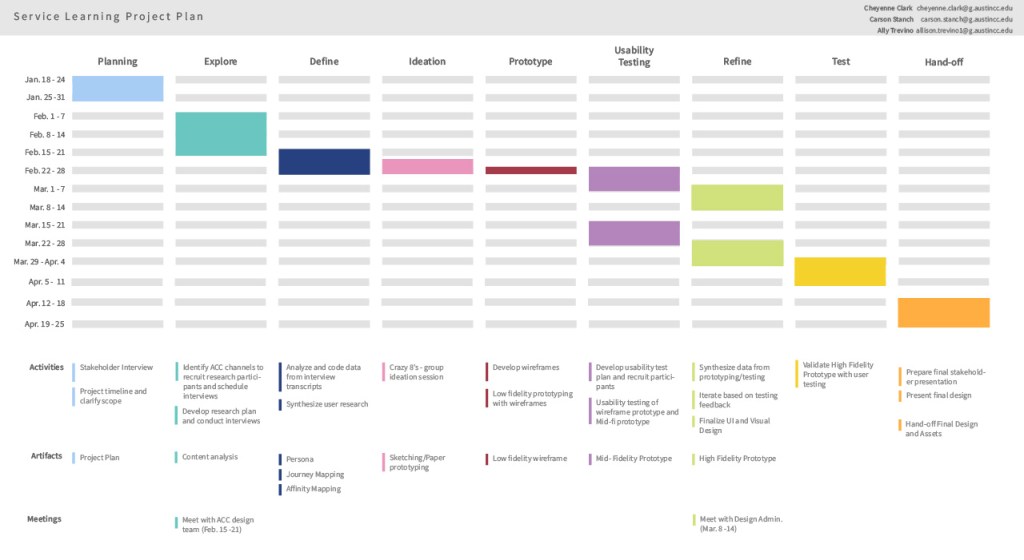
After speaking with our client and our development team we were feeling optimistic about our new project and solving problems for both the Service Learning Department and our student users. We eagerly developed this beautiful project plan to keep us on schedule and within our scope of work for our first real-world project. What could go wrong??
Understanding our Users
We decided that the first step of our project would be to conduct generative research in order to understand our student users. Generative research tells us why people are doing things and what they are thinking in a given moment. We determined that interviewing students would be the best way to uncover their deeper motivations and actions behind why and how they go about finding volunteer opportunities currently.
We crafted a strong research plan with the following research goals:
- Understand how students are finding volunteer opportunities now.
- Identify the pain points students have while looking for volunteer opportunities through ACC.
We sent out screener surveys and began our virtual interviews with 4 participants. Things were off to a great start and we were beginning to gather some really great insights from our users!
Project Plan Derailed
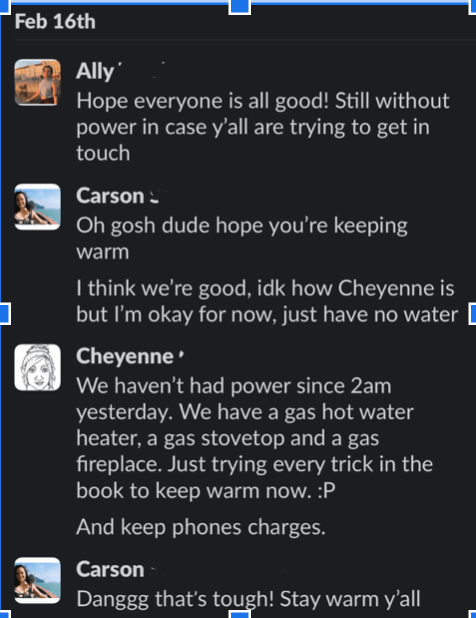
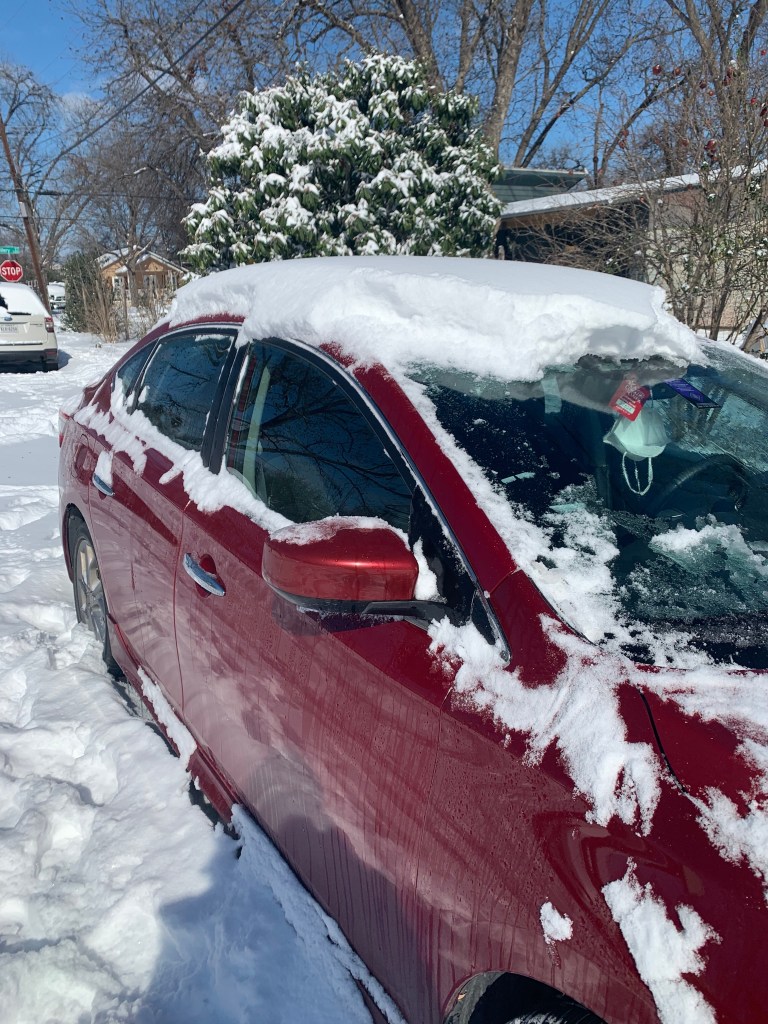
Unfortunately, our strong start and infallible project plan was derailed due to the “snowpocalypse” that hit Texas. Because of this extreme weather, we lost a week and half of valuable research time and my team worried that we didn’t have enough research to begin our ideation phase as we had originally planned. Our next steps weighed heavily on our minds.
Time to Problem Solve!
Once everyone was safe, warm, and had all their utilities, my team got together to see how we could get back on track with our project. While we didn’t reach our interview goal of 10 participants like we had originally planned, we were lucky enough to have interviewed 4 people before disaster struck.
I suggested that we take that data and begin our ideation process so that we could develop a low fidelity prototype. I knew that that the generative research was STILL very vital to our design and that we still needed to push ahead to meet our deadlines .
The Hybrid Solution
So I began thinking about how we might combine both generative and evaluative research methodologies to get the best of both worlds. Ultimately, my team and i created a hybrid test format in which we asked generative research questions AND ALSO conducted usability tests with our early prototypes within a one-hour moderated session
Final Research Stats
- 45 Surveys Responses
- 11 Hours of Interviewing Students
- 3 Rounds of Design + Testing with students
Guiding Principles
After analyzing and synthesizing our qualitative data, we identified 3 guiding principles or themes among our users which we used to guide our design decisions. Our users had the following priorities when searching for and deciding on volunteer opportunities.
- Align with core values
- Easy to find and sign up for
- Build professional skills
User Quotes
It important to note, that while I just picked a few of our favorite quotes to share with you, these recurring themes were seen across our all of our users’ experiences.
“I want to be giving my time to a good cause and a good organization, something that aligns with my beliefs.”
“Being able to filter by interest, availability, location, AND giving virtual options, that’s pretty handy.”
“That makes me excited to think of the things I’m learning in my classes and how they can be applied to help the community. “
Our 3 – Solution Deliverable
We wanted to provide our client with 3 options using a “good-better-best” strategy so that they could prioritize features, roll out changes, and implement solutions in a way that works with their schedule and budget as well as solve problems for the users in a timely manner.
“Good” Option
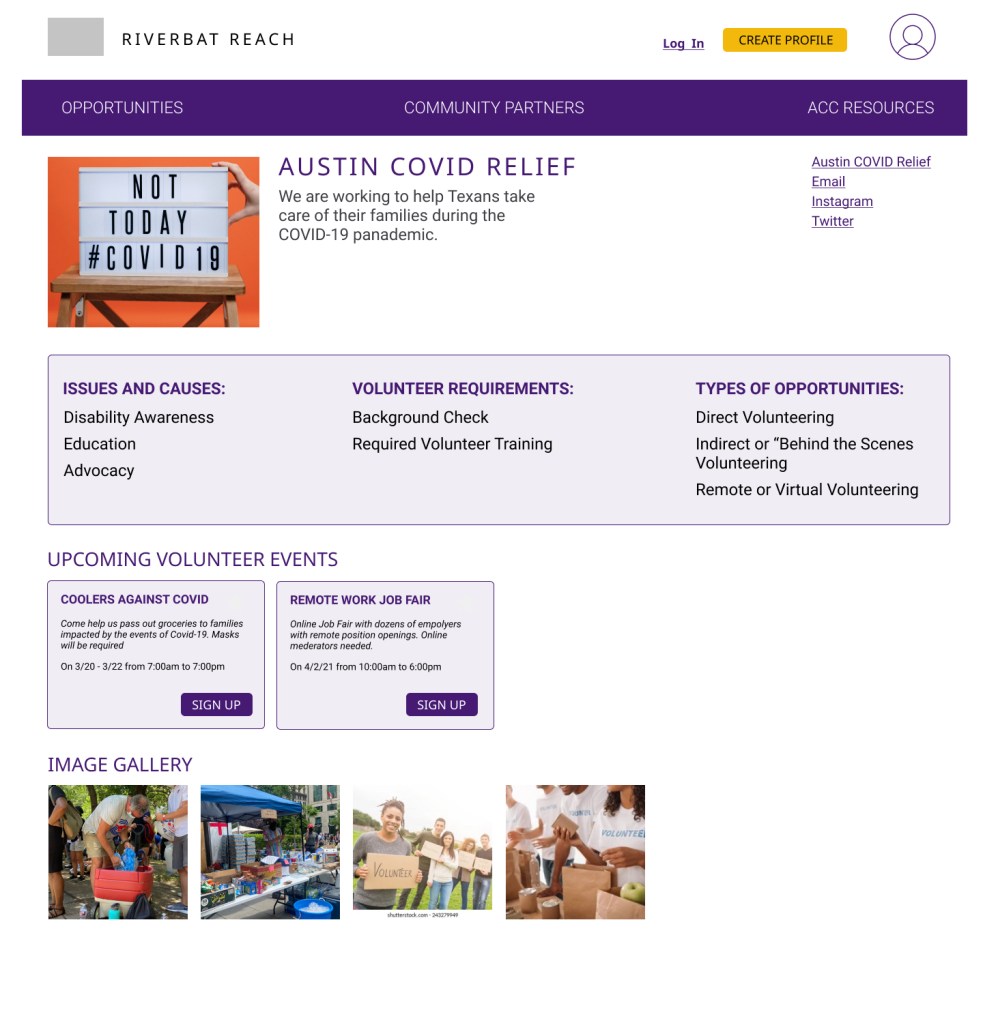
This option utilizes the Community Partners pages that is already in existence on Riverbat Reach website. Currently, there is just a long list of Community Partners on the page and students feel overwhelmed and abandon their task because they don’t want to click into each one to find out information on the organizations.
Therefore, we added a tag filter that allows users to filter through partners based on their desired interest or cause. We tested these tags with students to make sure they would return results that met their expectations. This minor change can be implemented quickly on a page that is already in existence.
“Better” Option
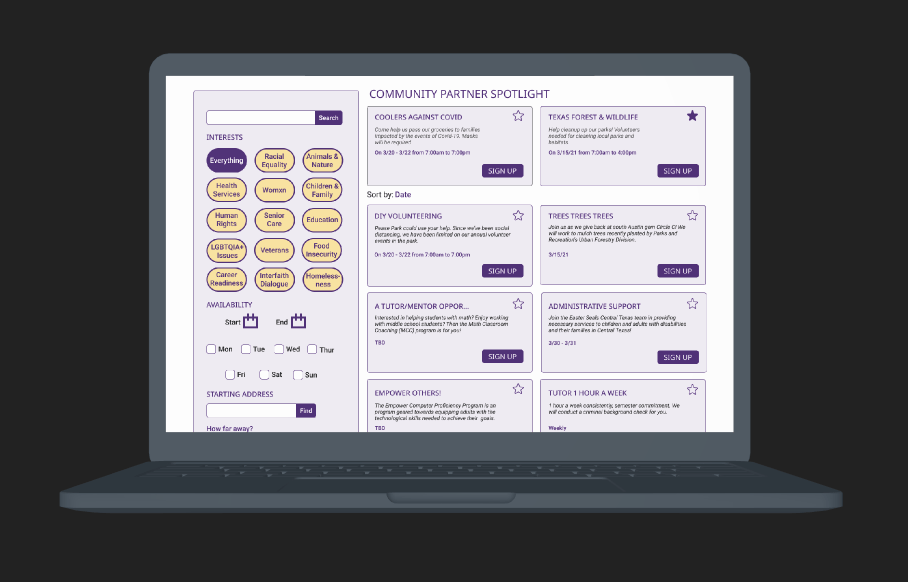
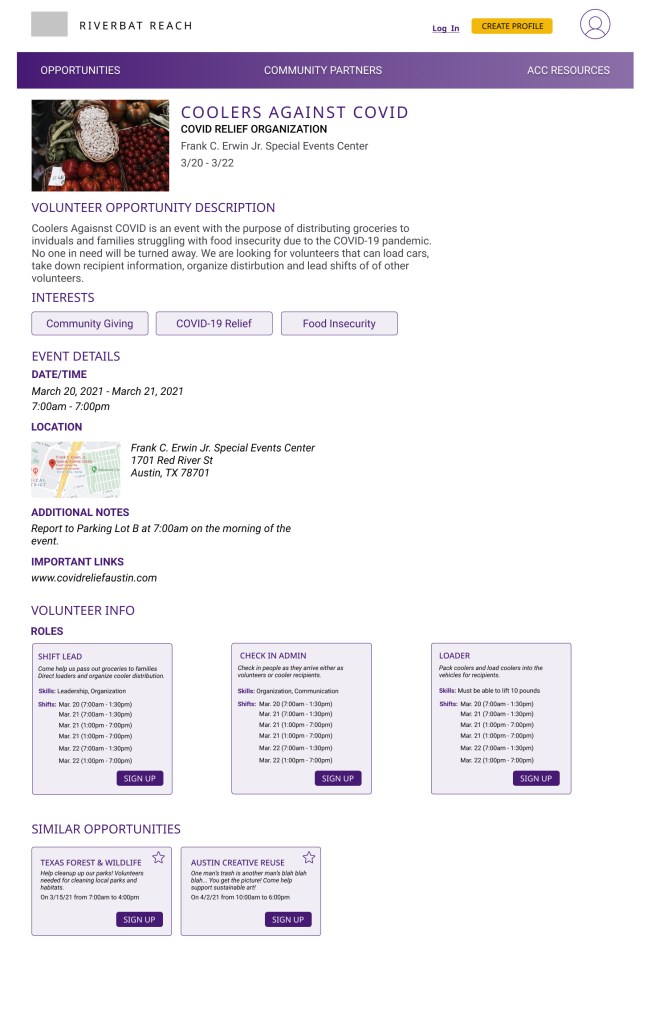
This option features a search filter (on the left), which allows students to find opportunities by searching organization names and keywords.
We also have 15 interest tags relevant to the current community partners that we tested with students to ensure relevant search terms and results matched the users’ mental model.
It also includes filters for availability and location because students told us those were their TOP TWO priorities when looking for opportunities that would best fit them and their needs.
So the key take away here is that students are able to use the filter on the left and relevant volunteer opportunities would populate the right, simplifying the daunting task of finding the right opportunity.
“Best” Option
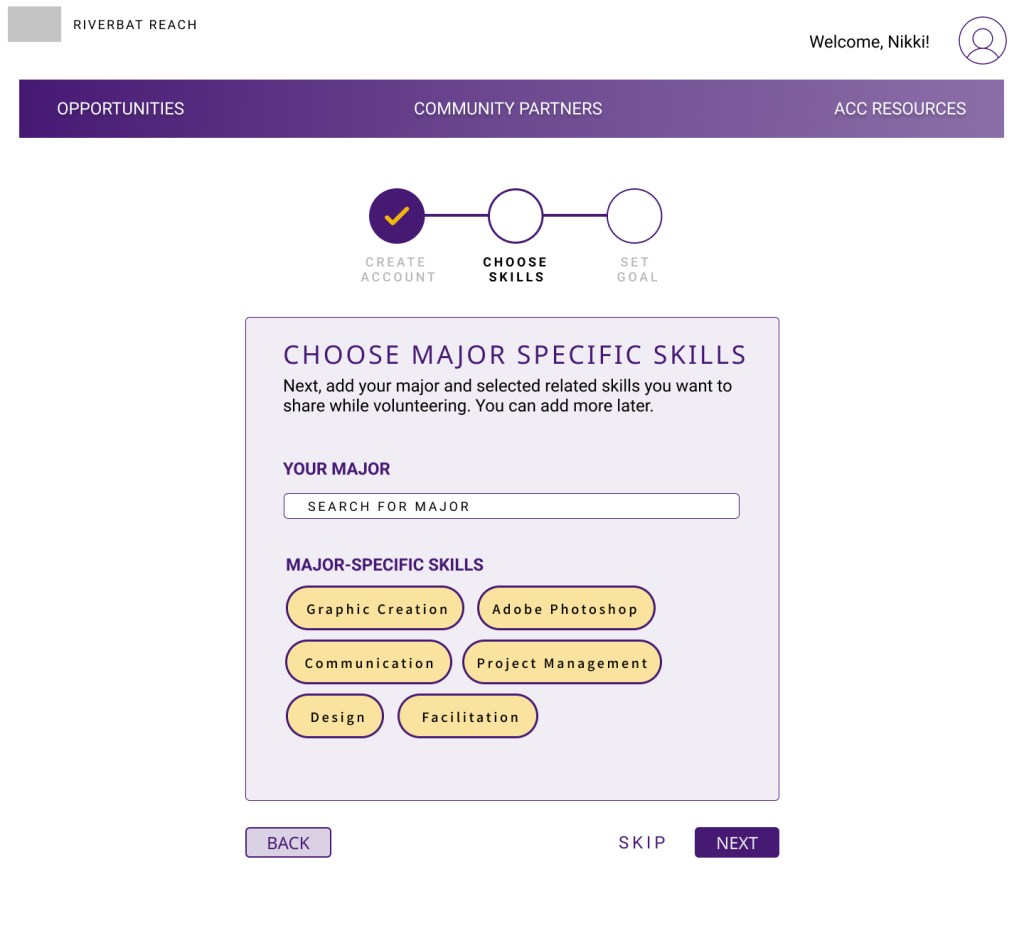
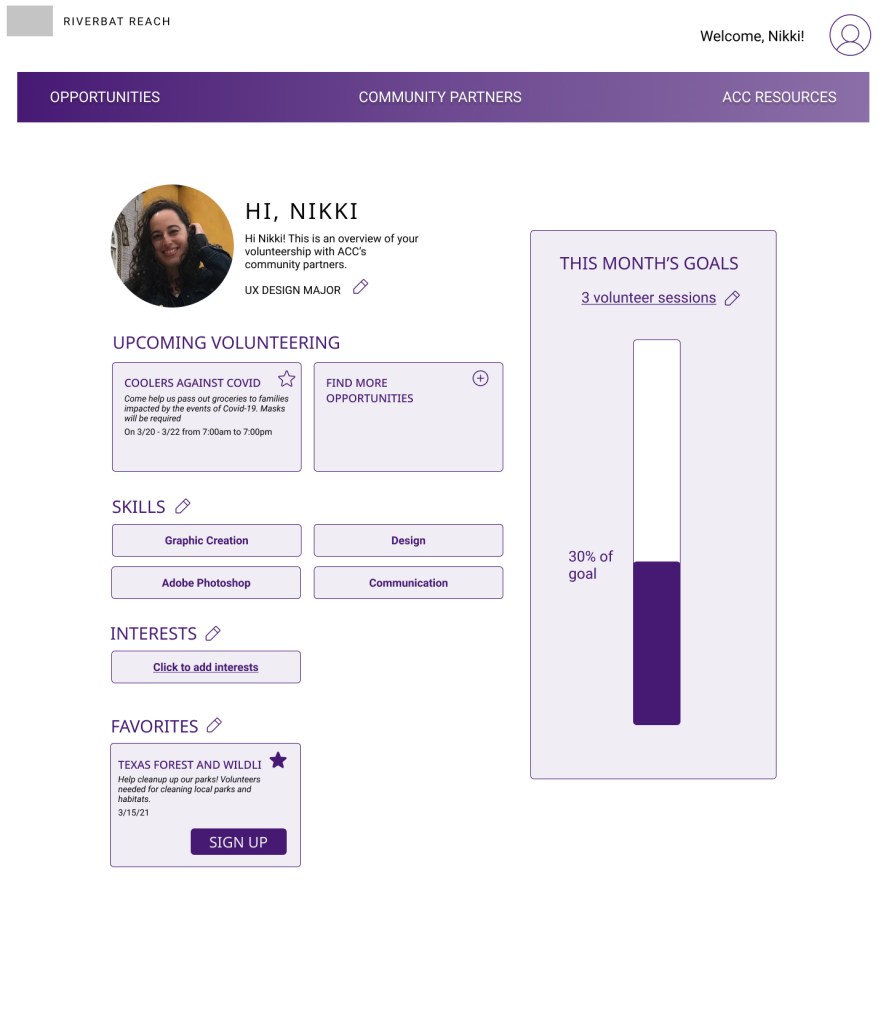
Our final option uses our filtering feature from the “Better” option (above) and combines it with the ability to create a customizable profile in order to get the most relevant opportunities suggested for the user.
It provides users with a way to enter skills that they have or want to develop, to save events, connect with community organizations, and stay up to date with events that they have signed up for.
Outcome
After presenting our research findings and solutions, the client is excited to begin working with the development team to implement our solutions in order to better serve the students within our college, beginning in the Fall of 2021.
I LOVE this! I know this will make such a difference for our students and will make my job a lot easier.
Service-Learning Program Coordinator
My Learnings
I learned that things don’t always go as planned and that’s okay. I have to be confident in my foundational knowledge and skills and if the situation arises I shouldn’t be afraid to get creative to apply them to new situations.
In school, we’re taught the best practices on how to conduct generative research and also in what situations to implement usability tests, however in this special circumstance, I had to flex my problem solving skills in order to understand my users as well as meet time-sensitive deadlines. Overall, this experience taught me how to adapt to any challenges that can arise during a project.

 Ally Trevino